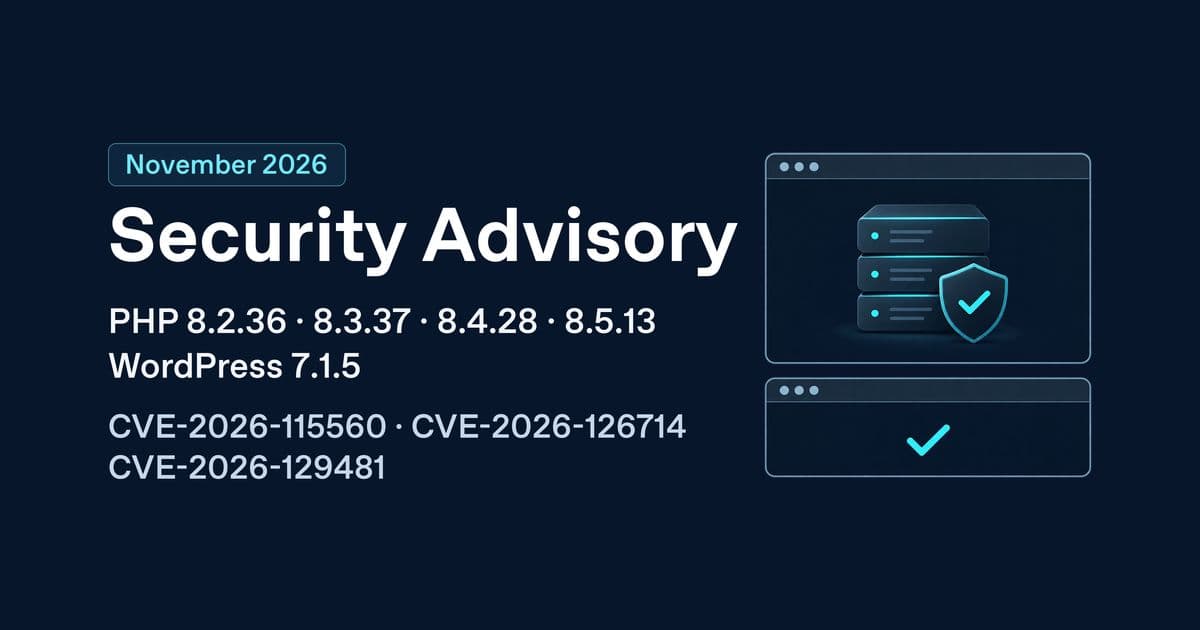
The PHP project released its updates on 19 November 2026. WordPress released its core update on 18 November. Sites running WordPress need both updates, even if the October PHP2Shell patches are already in place. PHP version table · PHP release announcements · WordPress 7.1.5 announcement
For website owners
One of the WordPress flaws could let someone take control of a vulnerable site without signing in. A successful attack could expose customer or order data, create rogue administrator accounts, or turn your site into a source of spam and malicious redirects. The release also fixes separate flaws involving database queries, malicious scripts and private data. For a shop, an incident can mean lost orders as well as a loss of customer trust. Apply the updates promptly and ask your host or developer to investigate if you already see unfamiliar users, redirects or changes you did not make. WordPress security announcement
Managed WordPress and shared hosting
- Managed WordPress. The provider often handles minor core security releases or enables background updates. PHP patching is a separate hosting task. Ask the provider to confirm both updates for the domain and check the installed WordPress version under Dashboard → Updates.
- Shared hosting. WordPress may update automatically if background updates are enabled. If the update is pending, use Dashboard → Updates → Update Now. The host generally controls PHP packages. Selecting a PHP branch in cPanel or hPanel tells you which branch the site uses. Ask your host to confirm the exact patched build serving your site.
- If the PHP build is still pending. Apply the WordPress update now. Ask the host for a patch date and have it help restrict access to exposed PHP applications if patching is delayed. WordPress update documentation
Send this to your hosting provider, replacing the example domain with yours.
Please check example.com and any separately configured subdomains. Is WordPress 7.1.5 or the relevant November core backport installed? Does the PHP build serving web requests include the 19 November security fixes? Please send the exact WordPress version, full installed PHP package revision and the advisory for any PHP backport. If either update is pending, can you apply it and confirm the date, time and any expected downtime?
Back up, update and recover
- Take a restorable backup. Include the site files and database. Confirm how to restore them from your host’s dashboard and record when the backup was taken. If you run a shop, agree how to preserve new orders and payments before any database restore.
- Check compatibility before you start. Review the release notes for your theme, checkout, payment and other essential plugins. On staging, test WordPress 7.1.5 with the patched PHP build. If a vendor requires a compatibility update first, apply that tested plugin or theme update before core. Otherwise, apply the core security patch promptly and update remaining plugins and themes in small batches so any breakage is easier to trace.
- Test the live site. Check sign-in, the editor, forms and uploads. For a shop, use a test order to verify checkout, payment confirmation and order emails.
- If you get a blank screen or broken checkout, pause further changes. Use the Recovery Mode link in the WordPress administrator email if available, or ask your host to disable the affected plugin or theme. Pause checkout if orders are failing. If needed, restore the affected files or use the host snapshot with developer help. Reconcile new orders before restoring a database. Keep any restored vulnerable copy restricted until you can reapply the security updates. WordPress Recovery Mode
For founders and teams managing several sites
Set the window and patch in risk order
Budget 30–60 minutes per straightforward site for backups, updates and checks. Treat this as a planning estimate. A routine update may only interrupt requests briefly, but schedule a quiet window for busy shops, customer portals and sites that require a PHP service restart. An internal admin can coordinate a managed update and run the checks. Assign a developer or hosting administrator for custom checkout, Multisite, Composer deployments, self-managed servers or recovery.
- First, public sites with sensitive or transactional features. Patch shops, client portals, customer logins and endpoints that accept public uploads. Within that group, start with sites where you can already see suspicious activity or where a failed transaction would hurt most. Investigate suspected compromises in parallel.
- Next, other public sites. Patch marketing, brochure and content sites, especially any that share a PHP runtime or host with higher priority sites.
- Check staging, test and private systems. Secure internet-facing staging promptly, particularly if it contains production data. Finish patching access-restricted environments after public systems. Use a representative staging site as a quick compatibility check while production teams prepare.
Keep evidence for audits and client reporting
A compromise can expose personal information and trigger customer communications or regulatory reporting. If you suspect unauthorised access, preserve logs, notify your privacy or incident lead and assess whether POPIA section 22 or GDPR Article 33 applies. For systems in payment card scope, check PCI DSS requirement 6.3.3 and your incident procedures. POPIA · GDPR · PCI SSC patching guidance
Keep one record per site with the domain, owner, update time and time zone, PHP build or image digest, WordPress version, applicable advisory, worker restart confirmation and test results. If a patch is delayed, record the temporary controls, named owner and due date.
Budget for PHP 8.2 before year end
PHP 8.2 upstream security support ends on 31 December 2026. Apply 8.2.36 or your vendor’s patched build now. In Q4, inventory PHP extensions, plugins, themes, custom code and background jobs, then choose a supported target branch. Allow a few days for a straightforward site and several weeks for a fleet or a store with custom integrations. Budget for staging, regression testing, developer fixes and a supported rollback option. Aim to move production before the deadline and reserve Q1 for follow-up and stabilisation. PHP support schedule
For developers and technical teams
Which PHP version should you install?
| Existing PHP branch | 19 November upstream security release |
|---|---|
| 8.5 | 8.5.13 |
| 8.4 | 8.4.28 |
| 8.3 | 8.3.37 |
| 8.2 | 8.2.36 |
Use the latest compatible patched build from your supplier. A vendor backport can retain an older upstream version, so match the installed package revision to its advisory. PHP 8.1 and older are outside upstream support. Arrange a migration or confirm explicit vendor coverage. PHP 8.6.0 also debuted on 19 November. Moving to that branch calls for separate compatibility testing. PHP changelog · PHP 8.6 migration guide
Audit PHP configuration while patching
The November batch addresses additional PHP issues and follows up on October’s PHP2Shell patches. Audit the effective configuration in php.ini, included files, FPM pools, virtual hosts and application overrides. Check CLI jobs as well if they share session storage with the website. October PHP2Shell guide · PHP session configuration
| Advisory | What to check |
|---|---|
| CVE-2026-115560 | Review session.upload_progress.enabled, session.serialize_handler and session.save_path. If upload tracking is unnecessary, set session.upload_progress.enabled=0 in the administrator-controlled configuration before requests are processed. Check for explicit overrides. If you need the feature, use a consistent session format across readers and writers or isolate their session stores. |
| CVE-2026-126714 | Check for session.save_handler=files, PHP’s default file-based session handler. Disabling upload progress can reduce exposure while you wait for the patch. Applications that write their own session data can still be affected. |
| CVE-2026-129481 | Review long-running PHP workers and errors during session shutdown. This follow-up to CVE-2026-109619 affects PHP 8.3 to 8.5 among the existing branches. Keep OPcache configured for your application and apply the November patch. Neither changing opcache.enable nor disabling upload progress provides reliable protection for this flaw. |
PHP advisory for CVE-2026-115560 · PHP advisory for CVE-2026-126714 · PHP advisory for CVE-2026-129481
Restart and verify the runtime that serves the site
After applying packages from your vendor, compare the CLI and FPM binaries. This example uses PHP 8.3 on a Debian or Ubuntu system with a versioned FPM service. Substitute the binary and unit for your branch and stack. Check the relevant pool and roll through each backend when using a load balancer. Hosting and server walkthroughs
php -v
php --ini
/usr/sbin/php-fpm8.3 -v
sudo /usr/sbin/php-fpm8.3 -t
sudo systemctl restart php8.3-fpm
systemctl is-active php8.3-fpm
The FPM binary version alone does not identify the pool receiving traffic or prove that a running worker loaded the patch. Confirm web PHP in Tools → Site Health → Info → Server or via a private diagnostic that reports only the version and SAPI. Remove temporary diagnostics after checking. Verify the package revision separately when the vendor backports fixes. WordPress Site Health
Update WordPress with WP-CLI or your deployment pipeline
Run the following as the site owner from the WordPress installation directory for a standard install that can move to the current release. For Multisite, use wp core update-db --network for the database step and verify each site’s key workflows. WP-CLI core commands
wp core check-update
wp core update
wp core update-db
wp core version- Docker and CI/CD. Refresh any pinned base digest to a build that contains the patched PHP package. Rebuild with
docker build --pull --no-cache -t your-app:november-security .if you build your own image. Publish through the usual CI pipeline, deploy by registry digest and compare each running replica’s image digest to the release record. Verify PHP through the application after the rollout. For a stock image, pull the verified patched image and recreate the containers. Docker build guidance - Composer and Bedrock. Use the dependency that your project already manages. For example, in a Bedrock project using
roots/wordpress, runcomposer require roots/wordpress:7.1.5 -Won an update branch if 7.1.5 is your target. Review and commit the manifest and lockfile, test in CI and deploy from the lockfile. Apply any database upgrade through your normal deployment task. Use WP-CLI to verify the deployment. Roots Bedrock Composer documentation
Find your exact WordPress backport
Use 7.1.5 or a later supported release where possible. If you must stay on an older branch for compatibility, use its published November backport or a later patch on that branch. The numbers below cover the November fixes applicable to each branch. Plan a move to the current release for ongoing support. WordPress 7.1.5 technical release notes
| Branch | November patch | Branch | November patch |
|---|---|---|---|
| 7.0 | 7.0.9 | 5.8 | 5.8.20 |
| 6.9 | 6.9.12 | 5.7 | 5.7.22 |
| 6.8 | 6.8.13 | 5.6 | 5.6.24 |
| 6.7 | 6.7.12 | 5.5 | 5.5.25 |
| 6.6 | 6.6.12 | 5.4 | 5.4.26 |
| 6.5 | 6.5.15 | 5.3 | 5.3.28 |
| 6.4 | 6.4.15 | 5.2 | 5.2.31 |
| 6.3 | 6.3.15 | 5.1 | 5.1.29 |
| 6.2 | 6.2.16 | 5.0 | 5.0.32 |
| 6.1 | 6.1.17 | 4.9 | 4.9.36 |
| 6.0 | 6.0.19 | 4.8 | 4.8.35 |
| 5.9 | 5.9.21 | 4.7 | 4.7.40 |
Check for signs of compromise after patching
Compare WordPress core with its published checksums. Review administrator accounts and scheduled tasks against your inventory. On Multisite, use wp super-admin list and repeat the user and cron checks with --url for each site. WP-CLI checksum documentation · WordPress security guidance
wp core verify-checksums --include-root
wp user list --role=administrator --fields=ID,user_login,user_registered
wp cron event list --fields=hook,next_run_gmt,recurrence
Check hosting or system cron separately. Review unexpected changes in plugins, themes, uploads and must-use plugins, and look for unfamiliar logins or redirects in your logs. Clean core checksums only establish that the checked files match the release. If you find suspicious changes, preserve logs and snapshots, restrict affected access and start incident response before removing evidence or restoring a backup.