How to Prepare Your Website for AI Search and Google AI Overviews
What business websites should fix now as search becomes more conversational, AI-assisted, multimodal, and answer-led.
Jump to section
Search is changing.
People are no longer only typing short keywords and clicking through a list of blue links. They are asking longer questions, comparing options, using voice, searching with images, and reading AI-generated summaries before deciding where to click next.
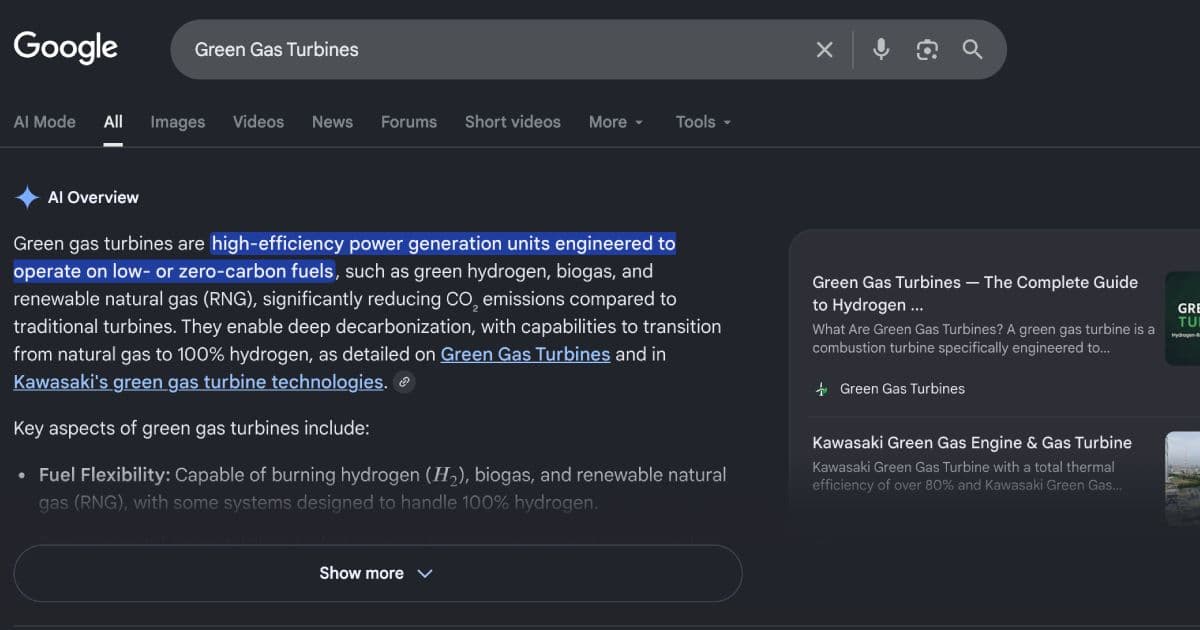
Google AI Overviews and AI Mode are part of this shift. Other tools such as ChatGPT, Gemini, Perplexity, Claude, Copilot, and voice assistants are also changing how people discover businesses, compare services, and evaluate information.
For business owners, this creates a fair question:
How do you prepare your website for AI search without chasing hype?
The honest answer is that AI search does not remove the need for SEO. It raises the standard. Your website needs to be easier for people and search systems to understand, trust, quote, compare, and act on.
What AI search means for business websites
AI search is a broad term. It can refer to several different search experiences:
| Search experience | What changes for users | What changes for website owners |
|---|---|---|
| Google AI Overviews | Users may see an AI-generated summary with supporting links | Your content needs to be clear, useful, indexable, and credible enough to support more complex answers |
| Google AI Mode | Users can ask longer questions and follow-ups | Your website may need to answer more specific, comparison-style, and decision-stage questions |
| ChatGPT and other AI assistants | Users may ask for recommendations, explanations, comparisons, or summaries | Your brand, services, content, and authority signals need to be discoverable and understandable across the web |
| Voice search | Users ask conversational questions | Your pages should answer natural-language questions clearly |
| Multimodal search | Users search with images, screenshots, voice, or context | Your visual content, product data, local listings, and structured information become more important |
The common pattern is simple: search is becoming more contextual.
Instead of only ranking for “website design South Africa”, a business may need to be visible for searches such as:
- Which website platform is best for a small accounting firm in South Africa?
- How much should I budget for a WooCommerce rebuild?
- What should I fix before spending money on Google Ads?
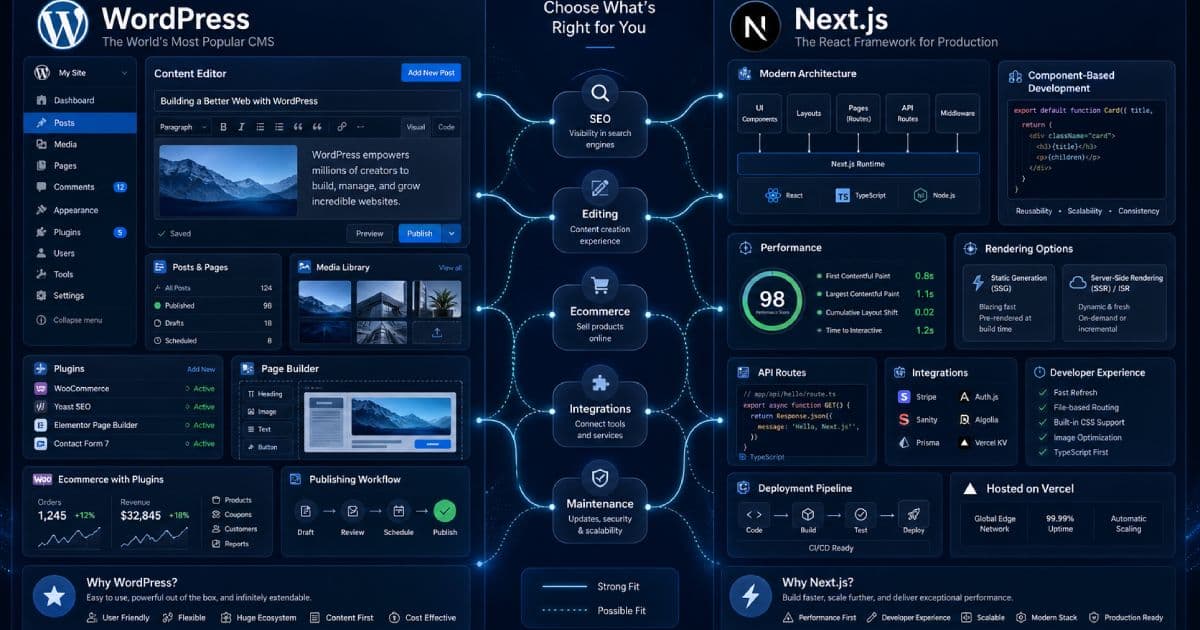
- Is WordPress or Next.js better for a local service business?
- Which web agency can maintain an existing WordPress site?
- How do I make my ecommerce website faster before Black Friday?
These are not just keywords. They are business questions.
What Google actually recommends
Google’s official guidance for AI features is more conservative than many marketing claims suggest.
For AI Overviews and AI Mode, Google says the same SEO fundamentals still apply. To be eligible as a supporting link, a page must be indexed, eligible to appear in Google Search with a snippet, and compliant with Search policies. Google also says there are no additional technical requirements and no special schema.org structured data required specifically for AI features.
That means the best preparation is not a gimmick. It is disciplined SEO and website quality.
Quick checklist: AI search readiness
Use this as a starting audit.
| Area | What to check | Why it matters |
|---|---|---|
| Crawlability | Googlebot is not blocked by robots.txt, hosting, CDN, or security rules | Search systems need access to your pages |
| Indexability | Important pages return 200 status codes and are not noindexed | AI features can only reference content that is eligible for Search |
| Snippet eligibility | Pages do not use overly restrictive snippet controls | Restrictive preview controls can limit how content appears |
| Content clarity | Pages answer real questions directly | AI search often responds to longer, more specific queries |
| Trust signals | Authors, business details, policies, credentials, and contact details are clear | Users and search systems need confidence in the source |
| Structured data | Schema matches visible page content | Helps search systems understand entities and page types |
| Internal linking | Important pages are easy to discover | Helps users and crawlers understand the site structure |
| Media quality | Images and videos support the text | Useful for visual and multimodal search experiences |
| Local data | Google Business Profile and key listings are accurate | Important for local and service-area businesses |
| Measurement | Search Console, GA4, and conversion tracking are configured | AI-era search performance should be judged by value, not clicks alone |
Step 1: Fix technical SEO first
Before creating more content, make sure search engines can access and understand your existing site.
Check that:
- Important pages are indexable
- Pages return a successful HTTP 200 status
- Googlebot is not blocked by robots.txt
- Your CDN or firewall is not blocking crawlers
- Canonical tags point to the correct URLs
- Old URLs redirect correctly after a rebuild
- Your sitemap is clean and submitted
- The site works without relying on hidden or inaccessible content
- Core content is available as text, not only inside images
- Mobile rendering works properly
- Important pages are internally linked
For Next.js, WordPress, Shopify, WooCommerce, and custom web development projects, this means checking the rendered output, not just the admin dashboard. A page can look fine to a user while still having indexing, canonical, JavaScript, or metadata problems.
Step 2: Make your important content easy to quote
AI search systems are often trying to answer a specific question. Your content should make the answer easy to identify.
That does not mean writing robotic FAQ spam. It means structuring pages so that users can quickly understand the point.
A strong page should include:
- A clear H1
- A useful opening summary
- Descriptive H2 and H3 headings
- Direct answers to common questions
- Specific examples
- Short explanatory paragraphs
- Tables where comparisons are useful
- Original insights or experience
- Clear definitions for technical terms
- Next-step guidance
- Internal links to related pages
For example, a weak service page says:
> We provide professional digital solutions for all businesses.
A stronger page says:
> We build and maintain WordPress websites for South African SMEs that need reliable editing, faster performance, SEO-friendly service pages, secure updates, and ongoing support.
The second version is easier for a person to understand. It is also easier for search systems to interpret.
Step 3: Answer decision-stage questions
AI search is especially useful when users are comparing options or trying to make a decision.
Your website should answer the questions customers ask before contacting you.
For a web development agency, these questions may include:
| Customer question | Useful content type |
|---|---|
| How much does a website cost in South Africa? | Pricing guide |
| Should I use WordPress or Next.js? | Comparison article |
| Should I rebuild or improve my existing website? | Decision guide |
| How long does a website rebuild take? | Planning article |
| What should I fix before running ads? | Audit checklist |
| Why is my website not generating leads? | Troubleshooting guide |
| What is included in website maintenance? | Service explainer |
| How do I avoid losing SEO traffic during a rebuild? | Migration guide |
This is where AI search preparation becomes business strategy. You are not just adding keywords. You are documenting your expertise in a way that helps people make better decisions.
Step 4: Build topic clusters, not isolated posts
One article is rarely enough.
AI search and traditional SEO both benefit from clear topical coverage. A website should show depth around the services it wants to be known for.
For example, a strong website strategy cluster may include:
| Core topic | Supporting content |
|---|---|
| Web development | Website cost guide, WordPress vs Next.js, website rebuild checklist, platform comparison |
| SEO | Local SEO guide, technical SEO checklist, AI search preparation, Search Console basics |
| Ecommerce | WooCommerce vs Shopify, ecommerce mistakes, product page SEO, checkout optimisation |
| Maintenance | WordPress maintenance checklist, security updates, backups, hosting, performance monitoring |
| Automation | CRM integration, lead routing, form automation, email workflows, reporting dashboards |
Each article should link naturally to related content and relevant service pages. This helps users continue their journey and helps search systems understand the relationship between topics. It also keeps digital marketing activity connected to useful website assets rather than isolated campaign pages.
Step 5: Strengthen E-E-A-T signals
E-E-A-T stands for experience, expertise, authoritativeness, and trustworthiness.
For business websites, this does not mean pretending to be a massive publication. It means making your real credibility visible.
Add or improve:
- Clear author names or team attribution
- Author bios where appropriate
- Business registration or company details where useful
- Real contact details
- Service area information
- Client examples or case studies
- Testimonials where legitimate
- Portfolio work
- Industry experience
- Process explanations
- Pricing guidance where possible
- Privacy policy, terms, and cookie policy
- Updated dates on important guides
- Sources for factual claims
- Clear disclaimers for sensitive topics
Avoid vague claims such as:
- “We are the best”
- “Guaranteed rankings”
- “AI will put you in every overview”
- “Instant traffic growth”
- “Number one agency in South Africa” without proof
Trust is built through evidence.
Step 6: Use structured data correctly
Structured data helps search systems understand the meaning of your content. It does not guarantee rankings or AI Overview visibility, but it can make your content more machine-readable.
Useful schema types may include:
| Page type | Schema to consider |
|---|---|
| Blog articles | BlogPosting or Article |
| Service pages | Service or ProfessionalService where appropriate |
| Local business pages | LocalBusiness or Organisation |
| Product pages | Product |
| FAQs | FAQPage where appropriate, but do not expect regular FAQ rich results |
| Breadcrumbs | BreadcrumbList |
| Videos | VideoObject |
| Reviews | Only if compliant and legitimate |
Structured data should match visible content on the page. Do not add fake ratings, fake reviews, fake authors, hidden services, or unsupported claims.
Step 7: Improve your images, videos, and visual context
AI search is increasingly multimodal. People can search with text, voice, images, screenshots, and combinations of these.
Your website should not rely only on plain text if visuals would help users.
Improve:
- Featured images
- Service diagrams
- Process graphics
- Product images
- Team photos
- Project screenshots
- Before-and-after examples
- Short explainer videos
- Infographics
- Image alt text
- Descriptive filenames
- Captions where useful
For a service business, visual proof can matter. A web development company can show interface screenshots, site speed improvements, content architecture, dashboard examples, or before-and-after rebuilds.
For an ecommerce business, product images, comparison tables, buying guides, and videos can support both search and conversions.
Step 8: Keep local and business data accurate
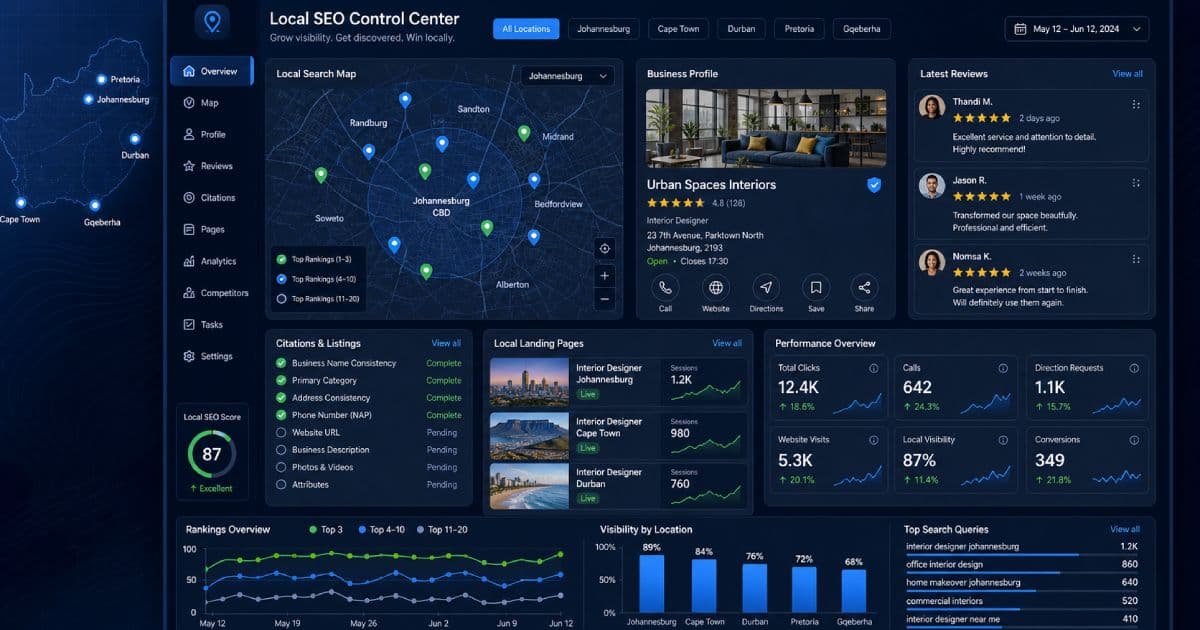
For South African SMEs, AI search preparation should include local SEO basics.
Check that your business information is accurate across:
- Google Business Profile
- Your website footer
- Contact page
- Service area pages
- Social profiles
- Industry directories
- Supplier directories
- Review platforms
- Local listings
- Schema markup
For local and service-area businesses, AI tools need to understand:
- Who you are
- What you offer
- Where you operate
- Who you serve
- How customers can contact you
- Whether your business appears credible
A business with inconsistent names, old phone numbers, outdated locations, and thin service pages is harder to trust.
Step 9: Make conversion paths clear
AI search may change where the click happens, but your website still needs to turn qualified visitors into enquiries.
Review every important page and ask:
- Is the next step obvious?
- Can users contact us easily?
- Is the form short enough?
- Is there a phone, email, WhatsApp, or booking option?
- Does the page explain what happens after enquiry?
- Are trust signals visible near the call to action?
- Does the page answer objections before asking for contact?
- Is the mobile experience clean?
AI search may send fewer but more informed visitors. If the page is confusing, slow, or vague, you may lose the opportunity. Ongoing website maintenance matters because technical drift, broken forms, slow pages, and outdated content can weaken both visibility and conversion.
Step 10: Use AI to improve content, not mass-produce it
AI tools can be useful in content workflows.
They can help with:
- Topic research
- Outline development
- Content gap analysis
- Drafting FAQs
- Rewriting unclear sections
- Summarising source material
- Creating comparison tables
- Generating metadata drafts
- Finding internal linking opportunities
- Adapting content for different audiences
- Planning automation and reporting workflows
But AI-generated content should still be reviewed by someone who understands the business, audience, facts, and risks.
Avoid using AI to mass-produce thin pages with no originality. That can create low-value content at scale, which is risky for both users and search visibility.
A better workflow is:
- Research real customer questions.
- Create a useful outline.
- Add business-specific expertise.
- Use AI to improve structure or wording.
- Verify claims and sources.
- Add examples, process details, and local context.
- Edit for clarity and usefulness.
- Publish with proper metadata, internal links, and tracking.
Step 11: Add “answer blocks” carefully
An answer block is a concise section that directly answers a common question near the top of a page.
Example:
> Can a small business appear in AI Overviews? > There is no guaranteed way to appear in AI Overviews. The best approach is to make your important pages technically accessible, indexable, clear, trustworthy, and useful enough to support complex search questions.
This format helps users. It may also help search systems understand the page.
Use answer blocks for:
- Definitions
- Comparisons
- Common objections
- Pricing context
- Process summaries
- Decision criteria
- Safety notes
- Local availability
- Product or service fit
Do not overdo it. A page filled with shallow answer snippets can feel unnatural. Use concise answers where they genuinely help the reader.
Step 12: Measure value, not only clicks
AI search may affect click behaviour. Some users may get part of their answer directly in the search results. Others may click through more informed and more ready to act.
That means reporting needs to be more mature.
Track:
| Metric | Why it matters |
|---|---|
| Search Console impressions | Shows whether content is being surfaced in search |
| Search Console clicks | Shows search traffic trends |
| Average position | Still useful, but not enough by itself |
| Landing page engagement | Shows whether visitors find the content useful |
| Form submissions | Measures enquiries |
| Phone and WhatsApp clicks | Important for service businesses |
| Bookings or quote requests | Measures business value |
| Assisted conversions | Shows content influence before conversion |
| Content updates | Helps connect improvements with performance changes |
| Branded searches | Can indicate growing awareness |
| Qualified leads | More important than raw traffic |
Step 13: Protect your content controls
Some businesses may want to limit how content appears in search previews or AI features.
Google supports controls such as:
- noindex
- nosnippet
- max-snippet
- data-nosnippet
These controls can affect how much of your content appears in search features, including AI formats. Be careful with them. More restrictive settings may reduce visibility.
Use them when there is a clear reason, such as:
- Private content
- Legal or compliance concerns
- Paywalled previews
- Sensitive excerpts
- Pages that should not appear in search
Do not add restrictive preview controls across the whole site without understanding the trade-off.
Step 14: Build assets AI summaries cannot replace
If your content only repeats basic information, an AI summary can replace much of the need to click.
Create assets that give users a reason to visit your website.
Examples:
| Asset type | Why it helps |
|---|---|
| Calculators | Users need an interactive result |
| Checklists | Users can apply the guidance directly |
| Comparison tables | Useful for decision-making |
| Original research | Adds information not available everywhere |
| Case studies | Shows real experience |
| Downloadable templates | Gives practical value |
| Tools | Encourages repeat visits |
| Before-and-after examples | Builds credibility |
| Local guides | Adds market-specific value |
| Expert commentary | Shows judgement, not just facts |
For Ravensdale Digital, useful assets could include a website cost calculator, SEO migration checklist, WordPress maintenance checklist, ecommerce launch checklist, local SEO audit template, or AI search readiness scorecard.
Step 15: Avoid common AI search mistakes
Avoid these mistakes:
- Treating AI search as separate from SEO
- Publishing generic AI-written pages at scale
- Chasing “AI Overview hacks”
- Adding fake schema
- Blocking Googlebot accidentally
- Hiding important content inside images
- Ignoring internal links
- Forgetting author and business trust signals
- Using FAQ spam instead of useful explanations
- Measuring only traffic, not conversions
- Ignoring local SEO and Business Profile data
- Deleting old content during a rebuild without redirects
- Relying only on Google and ignoring email, social, referrals, and brand building
AI search preparation roadmap
Here is a sensible phased approach.
| Phase | Focus | Key actions |
|---|---|---|
| Phase 1 | Technical access | Crawlability, indexability, snippets, sitemaps, redirects, page speed |
| Phase 2 | Content clarity | Rewrite key pages, answer real questions, improve headings, add summaries |
| Phase 3 | Trust | Add author bios, case studies, sources, policies, business details, proof |
| Phase 4 | Structure | Add internal links, schema, topic clusters, related posts, breadcrumbs |
| Phase 5 | Media | Improve images, videos, alt text, diagrams, product visuals, screenshots |
| Phase 6 | Measurement | Connect Search Console, GA4, conversion tracking, reporting dashboards |
| Phase 7 | Differentiation | Add tools, templates, calculators, original insights, case studies |
Final thoughts
Preparing your website for AI search is not about tricking AI systems.
It is about making your website clearer, more useful, more technically accessible, and more trustworthy.
The businesses that adapt well will not be the ones publishing the most generic content. They will be the ones that answer real customer questions, show real expertise, keep their technical foundations clean, and give users a reason to click beyond a summary.
AI search changes the interface. It does not change the need for quality.
Need help preparing your website for AI search?
Ravensdale Digital Services can help you improve your website’s technical SEO, content structure, AI search readiness, Google Business Profile quality, service pages, internal linking, schema, and conversion tracking.
Sources and further reading
- Google Search Central: AI features and your website
- Google Search Central: Top ways to ensure your content performs well in Google’s AI experiences on Search
- Google Search Central: Guidance on using generative AI content on your website
- Google Search Central: Creating helpful, reliable, people-first content
- Google Search Central: Structured data guidelines
- Google Search Central: Robots meta tag and preview controls
FAQs
Can I guarantee that my website will appear in Google AI Overviews?
No. Google does not offer a guaranteed way to appear in AI Overviews or AI Mode. The best approach is to make your content indexable, useful, clear, trustworthy, and technically eligible for Google Search.
Is AI search optimisation different from SEO?
It overlaps heavily with SEO. AI search preparation focuses more strongly on clear answers, topic depth, structured information, trust signals, multimodal content, and conversion quality. But the technical foundation is still SEO.
Do I need special schema for AI Overviews?
No. Google says there is no special schema.org structured data required to appear in AI Overviews or AI Mode. Structured data is still useful when it accurately describes visible page content and follows Google’s guidelines.
Should I block AI tools from using my content?
It depends on your business model and risk tolerance. Restrictive controls can limit visibility. If your goal is discoverability, be careful before blocking crawlers or snippets across the whole site.
Is AI-generated content bad for SEO?
Not automatically. Google focuses on quality, usefulness, originality, and whether the content is made for people rather than search manipulation. AI-assisted content should be reviewed, fact-checked, edited, and improved with real expertise.
What should small businesses fix first?
Start with the basics: technical indexability, Google Business Profile accuracy, clear service pages, real FAQs, internal links, contact options, page speed, trust signals, and Search Console tracking.
Will AI Overviews reduce website traffic?
It may change click behaviour for some queries. Some users may get answers directly in search, while others may click through with more context. Track qualified enquiries, conversions, engagement, and branded demand — not only raw clicks.
How often should I update AI search content?
Review important service pages, pricing guides, comparison posts, and technical articles at least every few months. Update sooner when platforms, prices, policies, tools, or search behaviour change.
Need help preparing your website for AI search?
Ravensdale Digital Services can help you improve your website’s technical SEO, content structure, AI search readiness, Google Business Profile quality, service pages, internal linking, schema, and conversion tracking.